Atapa vs Night Shift: is the built-in warmth enough?
Choose Night Shift if a mild warm tint is enough. It is built in, and it still changes the screen on M5 Macs. Choose Atapa if Night Shift's warmest step is still too blue in a dark room. Apple does not publish a kelvin number for Night Shift.

Kevin Hofmann, maker of Atapa. Updated . We make Atapa. Corrections welcome at hello@atapa.app.
Night Shift is the one warmth tool every Mac already has. It works, it is free, and it is the right answer for many people. This page is for the evening when it is not warm enough.
Side by side
| Criterion | Night Shift | Atapa |
|---|---|---|
| Price | Built into macOS | $12 once, all of your own Macs; 14-day trial, 14-day refund |
| M5 Pro built-in display | Works. Mild orange at More Warm, never red (2026-10-29, macOS 27.2) | Works, 6500K to 500K (2026-10-29, macOS 27.2) |
| Warmest | Apple publishes no value; independent measurements around 2700 to 3000K (2026-10-28) | 500K |
| Red at all | No red setting | Readable red below 1500K: blue and green folded into red |
| Dims below the lowest brightness step | No | Yes, 5% floor by default |
| Schedule | Sunset to sunrise or custom times | One bedtime question: warming 30 min before sunset, deepest 1 h before bed, back by wake-up |
| Automation | Control Center toggle, schedule | Shortcuts actions, Focus filter, URL scheme, CLI |
| Network use | Part of macOS | None |
Where Night Shift leads
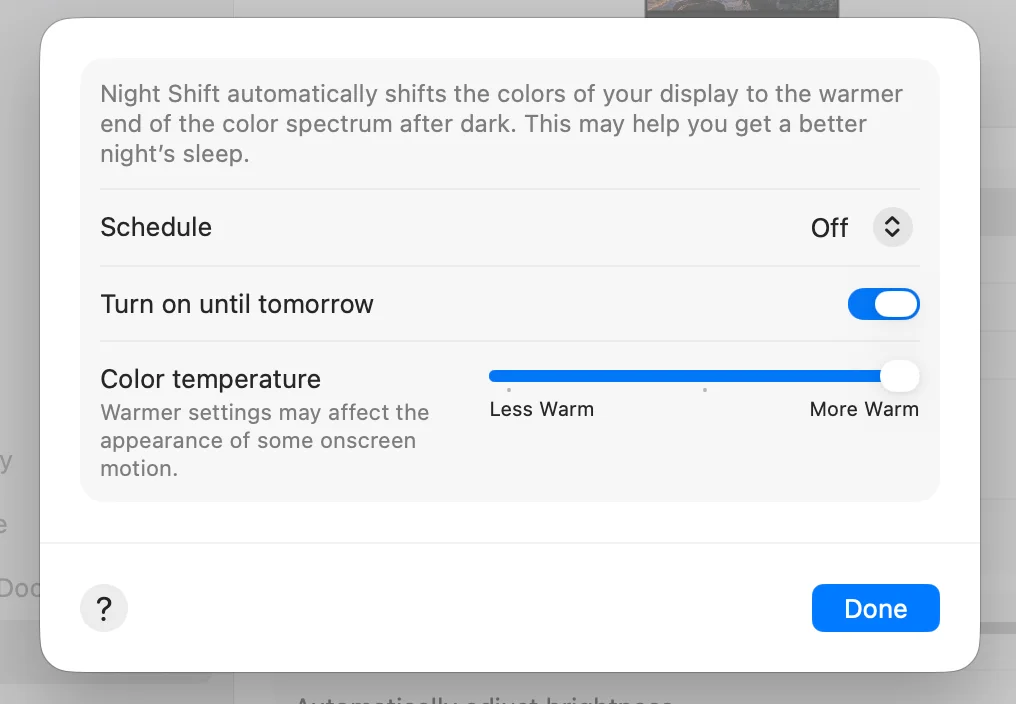
Zero install. It is in System Settings, Displays, and in Control Center. It has a sunset-to-sunrise schedule. It still changes the screen on the M5 Pro and M5 Max, which f.lux and other gamma-table apps do not; on our 14-inch M5 Pro on 29 October 2026 it turned the panel mildly orange at More Warm. If that tint is enough for you, you are done, and there is nothing to buy.
Where it stops
Apple does not publish how warm Night Shift goes. Independent measurements put More Warm around 2700 to 3000K. That is the color of a tungsten bulb: warm, and still with a lot of blue and green in it. In a dark room at 23:00 it is noticeably bright. Night Shift has no red setting and no way to dim below the hardware minimum.
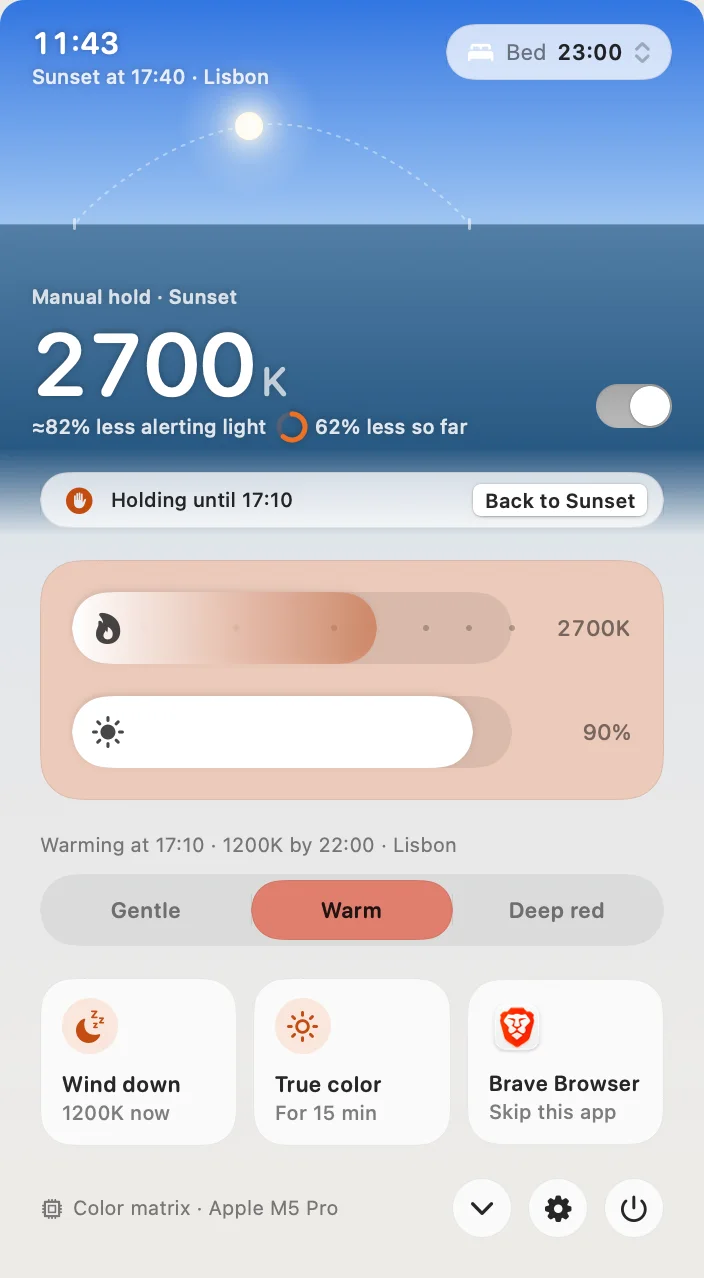
Atapa continues where Night Shift ends. Its three intensities end the night at 1900K (Gentle), 1200K (Warm) and 500K (Deep red). At 2700K, Atapa’s own estimate is about 80% less melanopic light than an untouched screen; at 500K with Readable red the estimate is about 100%, because the green and blue outputs are zero. The method is on the science page.
Red you can still read
A plain red filter switches blue and green off, so blue links and icons turn black. Atapa’s Readable red folds those channels into red below 1500K, so at 500K the words and the links are still there. Night Shift never reaches that range, so there is nothing to compare at 500K; the comparison is between a mild orange and a readable deep red.
Dimming below the minimum
The brightness keys stop at the lowest backlight step the hardware allows. On a MacBook Pro at night that step is still bright. Atapa adds a dim stage below it, down to a floor of 5% by default (Settings, Comfort, Dim floor, adjustable from 1% to 30%), and the brightness keys can keep driving it once you grant Accessibility. Night Shift does not dim.
Price
Night Shift is free. Atapa is $12 once for all of your own Macs, with a 14-day trial without a card and a 14-day refund. After the trial Atapa never stops working: from day 29 without a key, warmth stops at 2700K, about Night Shift’s warmest, and dimming, the evening curve and Shortcuts keep working.
Choose Night Shift if
A mild warm tint at sunset is what you want, and you do not read in a dark room late. It is built in, it works on every Mac including the M5 Pro, and there is nothing to install or pay for.
Choose Atapa if
Night Shift’s warmest step is still too blue in a dark room, you want deep red that stays readable, or you want the screen darker than the brightness keys allow. The step-by-step version is in the guide for when Night Shift is not warm enough.
Questions
Does Night Shift work on M5 Pro and M5 Max?
Yes. Night Shift uses a different path from the gamma table that the M5 bug ignores. On our 14-inch M5 Pro, macOS 27.2, on 2026-10-29, Night Shift at More Warm turned the panel mildly orange. It is the control to use when you want to confirm the gamma bug: if Night Shift moves the color and f.lux does not, you are in the bug.
How warm does Night Shift go?
Apple does not publish a kelvin value for Night Shift. Independent measurements put the warmest setting, More Warm, around 2700 to 3000K. On our M5 Pro on 2026-10-29 it was a mild orange and never red. Atapa's range goes on to 500K; its Gentle, Warm and Deep red intensities end the night at 1900K, 1200K and 500K.
Can I use Night Shift and Atapa together?
You can leave Night Shift on. Atapa does not switch it off, and its Settings show a tip when both are on. The simplest setup is to let Atapa run the evening and keep Night Shift as it was, because Atapa's curve already starts 30 minutes before sunset and reaches its deepest stop an hour before your bedtime. Either way, nothing breaks.
Does Night Shift dim the screen?
No. Night Shift changes color only, and the brightness keys stop at the hardware minimum. Atapa dims below that step, down to a floor of 5% by default, which you can raise in Settings, Comfort. Night Shift has a schedule and a Control Center toggle; Atapa has Shortcuts actions, a Focus filter, a URL scheme and a CLI.
Is Atapa free like Night Shift?
No. Night Shift is part of macOS. Atapa is $12 once for all of your own Macs, with a 14-day trial that asks for no card and a 14-day refund. After the trial it keeps working; from day 29 without a key, warmth stops at 2700K, about Night Shift's warmest, and the rest keeps working. Deep red needs a key.