Support.
Screen stuck red or dark?
Press ⌃⌥⌘⌫ . Still stuck? Open Terminal and run pkill -9 Atapa. The guard process resets the screen.
Atapa also resets the screen every time it launches. Holding ⌥⌘T shows true color while you hold it.
By symptom
Nothing changes on my Mac
On an M5 Pro or M5 Max, Atapa works through the display pipeline where gamma-table apps do nothing: see the M5 page. On any Mac, turn off f.lux and Night Shift; they stack with Atapa.
The tint shows in screenshots
Only the overlay fallback appears in captures. With the color matrix, screenshots stay true color (tested 2026-10-28). Settings › Advanced shows the method in use.
Brightness keys
Dimming below the minimum from the keys needs the switch in Settings › Comfort and Accessibility permission. The popover slider works without either.
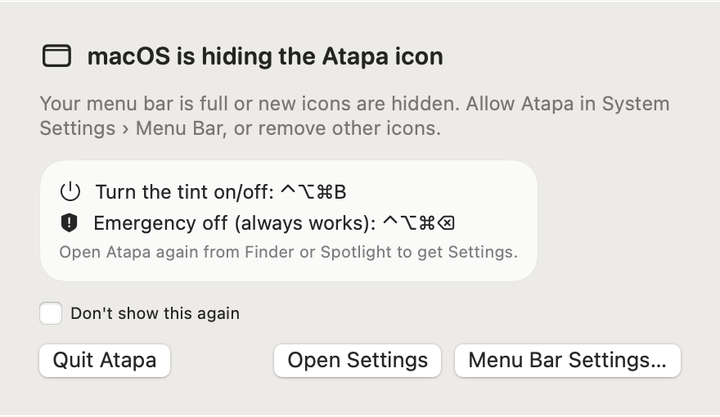
Menu bar icon hidden
A crowded menu bar hides icons. Open Atapa from Spotlight, or close a menu bar app. Atapa tells you once when this happens.
Lost your key
Email hello@atapa.app with the order email, or from the address you bought with. You get the key back by reply.
Something else
Settings › Advanced › Diagnostics writes a small text report with no personal data. Attach it to your email and say which Mac and macOS version you have.
Contact
Email hello@atapa.app. Kevin Hofmann replies within 48 hours. Say which Mac you have and what you saw; a photo of the screen helps more than a screenshot, because captures do not show the tint.
Questions
My screen stayed red after Atapa quit.
Press ⌃⌥⌘⌫. If Atapa is not running, open Terminal and run "pkill -9 Atapa"; the guard process resets the screen when the app's process ends. Atapa also resets the screen each time it launches.
Password dialogs look wrong.
They should not: Atapa shows password prompts in true color so you can see what you approve. If one appears tinted, hold ⌥⌘T for true color and tell us.
Does Atapa work with external monitors?
Yes for warmth. Monitors that support DDC can dim in hardware; that path has not yet been checked on a real monitor, so treat it as a preview and tell us what you see.
Can I run it alongside f.lux or Night Shift?
Turn them off. They stack: on a Mac where f.lux still works, its tint and Atapa's multiply, and the result is warmer and darker than either intended. Night Shift adds its own shift on top of Atapa's curve, so the colour you set is not the colour you get. Atapa handles the whole evening on its own, from sunset to wake. One app should own it.
How many Macs can I use it on?
All the Macs you personally own. One key, no activation count, no device list to manage. The key is checked on your Mac against a signature, so there is nothing to deactivate when you sell a machine. Settings can be exported and imported from the Advanced pane, so a second Mac looks like the first within a minute.
Does it work on Intel Macs?
Not in version 1.0. Atapa is built for Apple silicon and requires macOS 14 or later. On Intel Macs the gamma table still works, so f.lux and Night Shift remain good options there. We may add an Intel build later, because the colour math does not depend on the chip; the display path does. We don't promise it.
How do I uninstall it?
Quit Atapa from its menu, then drag Atapa.app from Applications to the Trash. The screen returns to true color when the app quits. If you turned on Launch at login, switch it off in Settings first. Preferences live in a small file under your Library folder and the licence key in a folder named .favilla in your home folder; delete both if you want nothing left.