f.lux on an M5 Pro: what still works
If f.lux does nothing on your M5 Pro or M5 Max, Night Shift still changes the screen with nothing to install; its warmest step is mild orange. For deep red on that chip, Atapa tints in the display pipeline to 500K. On our M5 Pro on 29 October 2026, f.lux 42.2 said it was on; the panel did not change.

Kevin Hofmann, maker of Atapa. Updated . We make Atapa. Corrections welcome at hello@atapa.app.
This is not a ranked list of f.lux alternatives. It is what still works on an M5 Pro or M5 Max MacBook Pro, in the order of least effort first, with the date we checked each one. We make Atapa, which is one of the options, so read that section as the vendor’s.
Why f.lux stopped changing the screen
Since the M5 Pro and M5 Max, macOS accepts the gamma table that f.lux sets and never shows it. Apple reproduced the bug, and it was still open on macOS 27.2 as of 26 October 2026. f.lux, Lunar and MonitorControl are named in Apple’s thread; the report numbers and the thread are on the M5 page. The f.lux developer is tracking the bug and waiting on Apple.
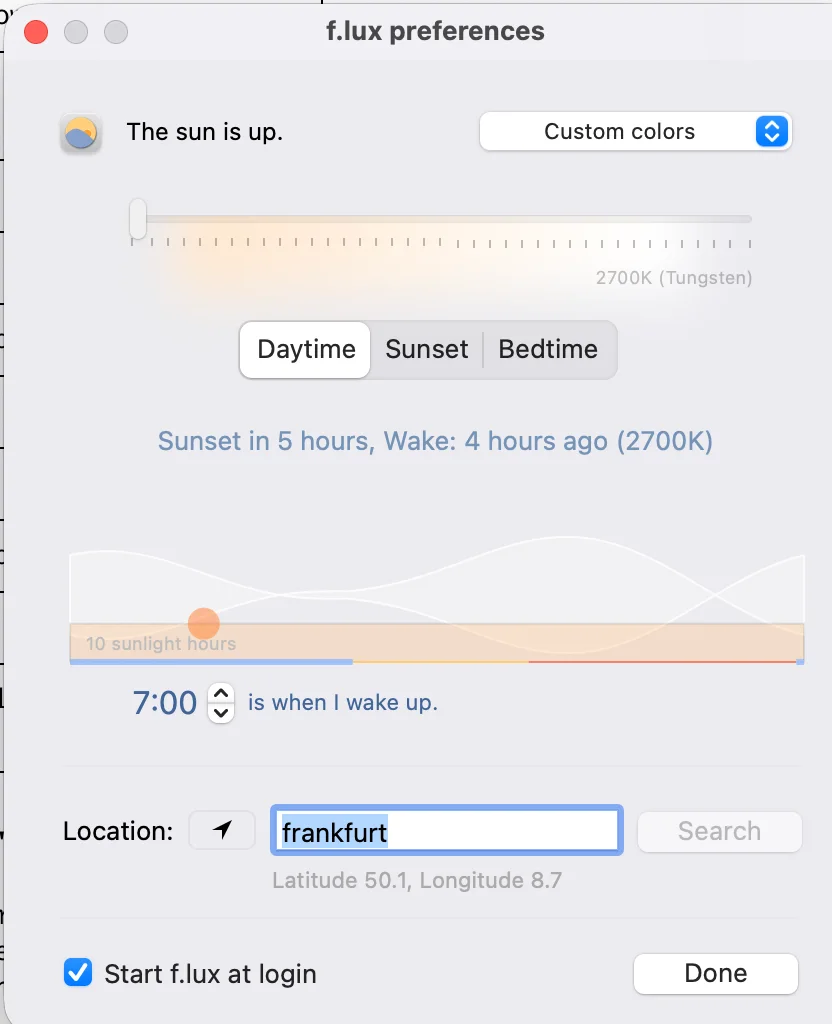
On our 14-inch M5 Pro, macOS 27.2, on 29 October 2026, f.lux 42.2 with the Daytime slider at its lowest stop, 2700K (Tungsten), said “The sun is up” and the panel did not change. The one-minute check you can run yourself is on the M5 page.
Night Shift: nothing to install
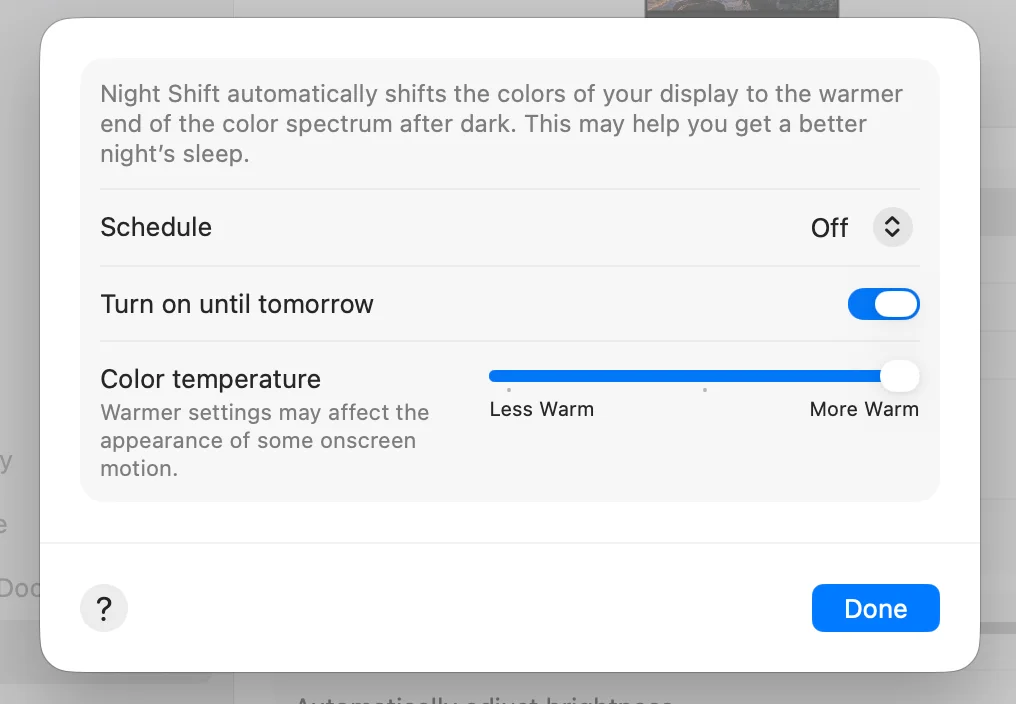
Start here. Night Shift uses a different path from the gamma table and still changes the screen on M5 Macs. Open System Settings, Displays, Night Shift. Turn on “Turn on until tomorrow”, or set a Sunset to Sunrise schedule, and move Color temperature to More Warm.
On our M5 Pro on 29 October 2026, More Warm was a mild orange, never red. Apple does not publish a kelvin figure; independent measurements put the warmest setting around 2700 to 3000K. Night Shift does not dim the screen below the hardware minimum, and it has no red setting. For many people it is enough, and it costs nothing.
Atapa: deep red on that chip
If Night Shift’s warmest step is still too blue in a dark room, this is the option we know changes an M5 Pro screen all the way down. We make it.
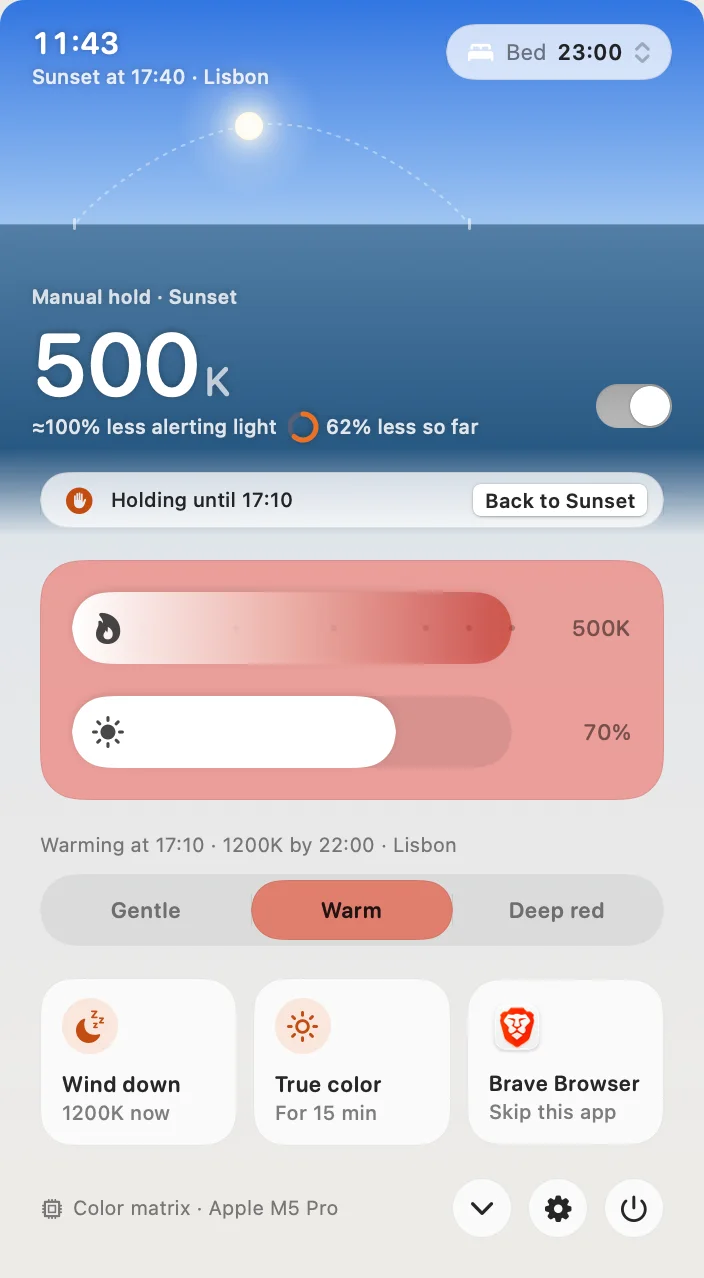
Atapa tints in the display pipeline instead of through the gamma table. On the same M5 Pro on 29 October 2026 it went from 6500K to 500K, and from 1500K down it folds blue and green into red so links and icons stay visible. It dims below the lowest brightness step, and it ships Shortcuts actions, a Focus filter, a URL scheme and a CLI. Intel Macs are not supported in 1.0. The trial does not ask for a card.
Sundown: not on this Mac yet, by its own account
Sundown is the most complete warmth app on features, with a large guide library, a Windows build in progress, and a lot of customization. On an M1 through M4 Mac it is a reasonable choice. On our M5 Pro, macOS 27.2, on 29 October 2026, Sundown 1.6.4 showed its own notice: “Warming isn’t available on this Mac yet. Your Mac’s display ignores the usual way apps warm the screen, so for now Sundown leaves your screen’s color, brightness, Night Shift and True Tone as they are. We’re working on it.” We recheck after each Sundown update. Its site is trysundown.com.
Solace and CircadianShield: untested on M5 by their own sites
Solace bundles dark mode switching, wallpapers and warmth for $4.99 once (read 2026-10-28) and does not state M5 support. CircadianShield is $47 once for Mac and Windows, warmest 1800K, and its site said on 2026-10-28 that M5 has not been tested yet. We have not installed either on our M5 Pro, so this page does not say whether they work there. On an M1 through M4 Mac both are worth a look.
BetterDisplay: for display configuration, not an evening schedule
BetterDisplay is named in Apple’s thread because its color-table adjustments stopped applying. Its maintainer wrote on 13 October 2026 that image adjustments now go through a compositor filter instead. If what you need is brightness and display configuration, it is the right tool. It is not a sunset-to-bedtime warmth app.
What each option does on an M5 Pro
| Option | On the M5 Pro built-in display | Install | Checked |
|---|---|---|---|
| Night Shift | Changes the screen; mild orange at More Warm, never red | None | 2026-10-29 |
| Atapa 1.0 | Changes the screen, 6500K to 500K, readable red | Download, 14-day trial | 2026-10-29 |
| f.lux 42.2 | Says it is on; the panel does not change | Free | 2026-10-29 |
| Sundown 1.6.4 | Its own notice: warming is not available on this Mac yet | Trial asks for a card | 2026-10-29 |
| CircadianShield | “M5 has not been tested yet”, its site | $47, no trial | 2026-10-28 |
| Solace | Not stated; not tested by us | $4.99 | 2026-10-28 |
| BetterDisplay | Compositor-filter image adjustments since 2026-10-13; display configuration | Free tier | 2026-10-28 |
If you want to wait for Apple
That is a fair choice. Apple reproduced the bug and BetterDisplay’s maintainer said on 13 October 2026 it was still with engineering. When the fix ships, f.lux will work on these Macs again. Until then, Night Shift covers a mild tint for free, and Atapa covers deep red without depending on the fix. We retest after each macOS update and date the result on the M5 page.
Questions
Why does f.lux do nothing on an M5 Pro?
Since the M5 Pro and M5 Max, macOS accepts the gamma table that f.lux sets and never applies it (an Apple bug, reproduced by Apple and still open on macOS 27.2 as of 26 October 2026). The app cannot see the failure because reading the table back returns what it set. The f.lux developer is tracking the bug in the f.lux forum and waiting on Apple. On Intel and M1 to M4 Macs, f.lux works as before.
What is the quickest replacement with nothing to install?
Night Shift. Open System Settings, Displays, Night Shift, turn on "Turn on until tomorrow" or set a schedule, and move Color temperature to More Warm. On our M5 Pro on 2026-10-29 it turned the panel mildly orange. Apple publishes no kelvin figure; independent measurements put More Warm around 2700 to 3000K. It never goes red and it does not dim.
Which app goes to deep red on an M5 Pro today?
Atapa, as far as our own testing goes. On a 14-inch M5 Pro with macOS 27.2 on 2026-10-29 it changed the screen from 6500K to 500K, with blue and green folded into red so links stay readable. We make Atapa. Sundown 1.6.4 on the same Mac showed its own notice that warming is not available on this Mac yet. CircadianShield's site says M5 has not been tested.
Should I wait for Apple to fix it?
You can. Apple reproduced the bug, and BetterDisplay's maintainer wrote on 13 October 2026 that it was still with engineering. When it is fixed, f.lux will work on these Macs again. Until then Night Shift covers a mild tint, and Atapa covers deep red without depending on the fix. We retest after each macOS update and date the line on the M5 page.
Do Sundown, Solace or CircadianShield work on M5 Pro?
Sundown 1.6.4 told us itself on 2026-10-29: "Warming isn't available on this Mac yet." CircadianShield's site said on 2026-10-28 that M5 has not been tested yet. Solace does not state it and we have not installed it on our M5 Pro. All three are worth a look on an M1 to M4 Mac, where the gamma table still applies.
Sources
- f.lux (justgetflux.com), Mac version 42.2 · read
- f.lux forum: macOS Tahoe 26 notes · read
- f.lux forum: the M5 Pro thread · read
- Apple Developer Forums: the M5 Pro gamma-table thread · read
- Apple Support: Use Night Shift on your Mac · read
- BetterDisplay: the maintainer's note of 2026-10-13 · read
- Sundown (trysundown.com), version 1.6.4 · read
- Solace by Theodore HQ · read
- CircadianShield (circadianshield.com) · read